
Using Your Created Subagent
Step 1: Create a New Chat
- Go to the Chats section
- Click “New Chat” or use an existing conversation
Step 2: Call the Subagent
-
Type the agent name in quotes( “”) followed by your query
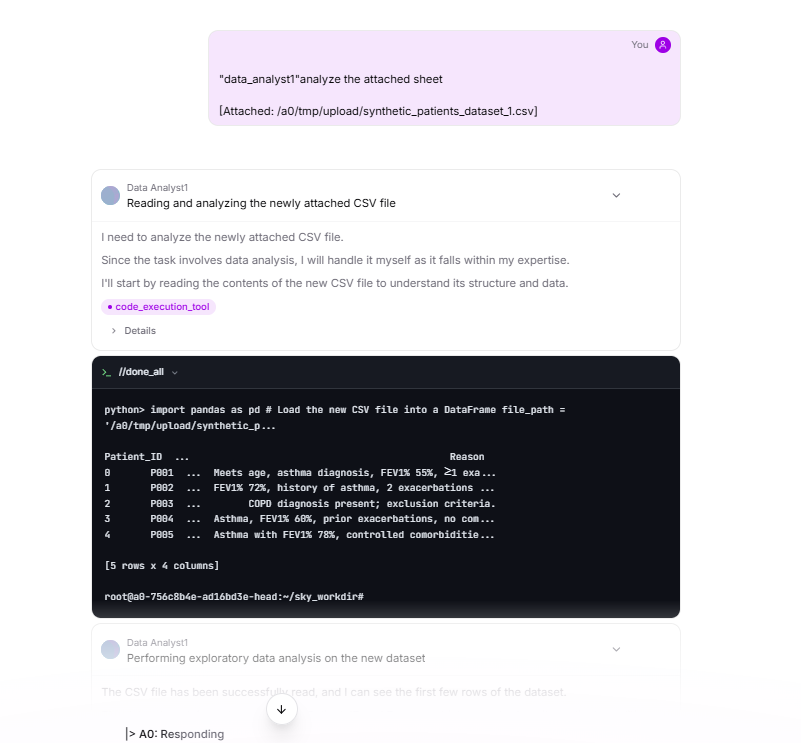
Fig 9.6
Step 3: Agent Responds
-
Your query is automatically routed to the specified subagent
-
The specialized agent processes your request using its configured capabilities
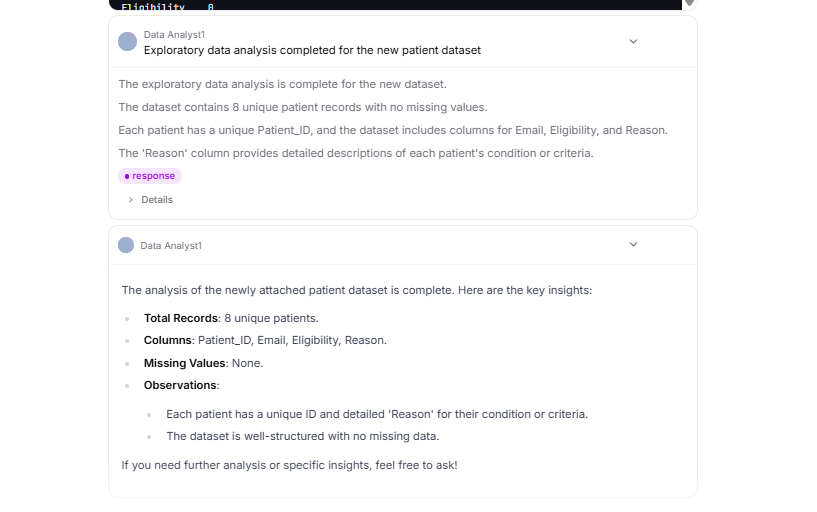
Fig 9.7
-
Responses reflect the agent’s unique methodology and tools
Last updated on