
API Keys
The API Keys section centralizes all credentials required for external integrations, ensuring secure and efficient management of access tokens and authentication details.
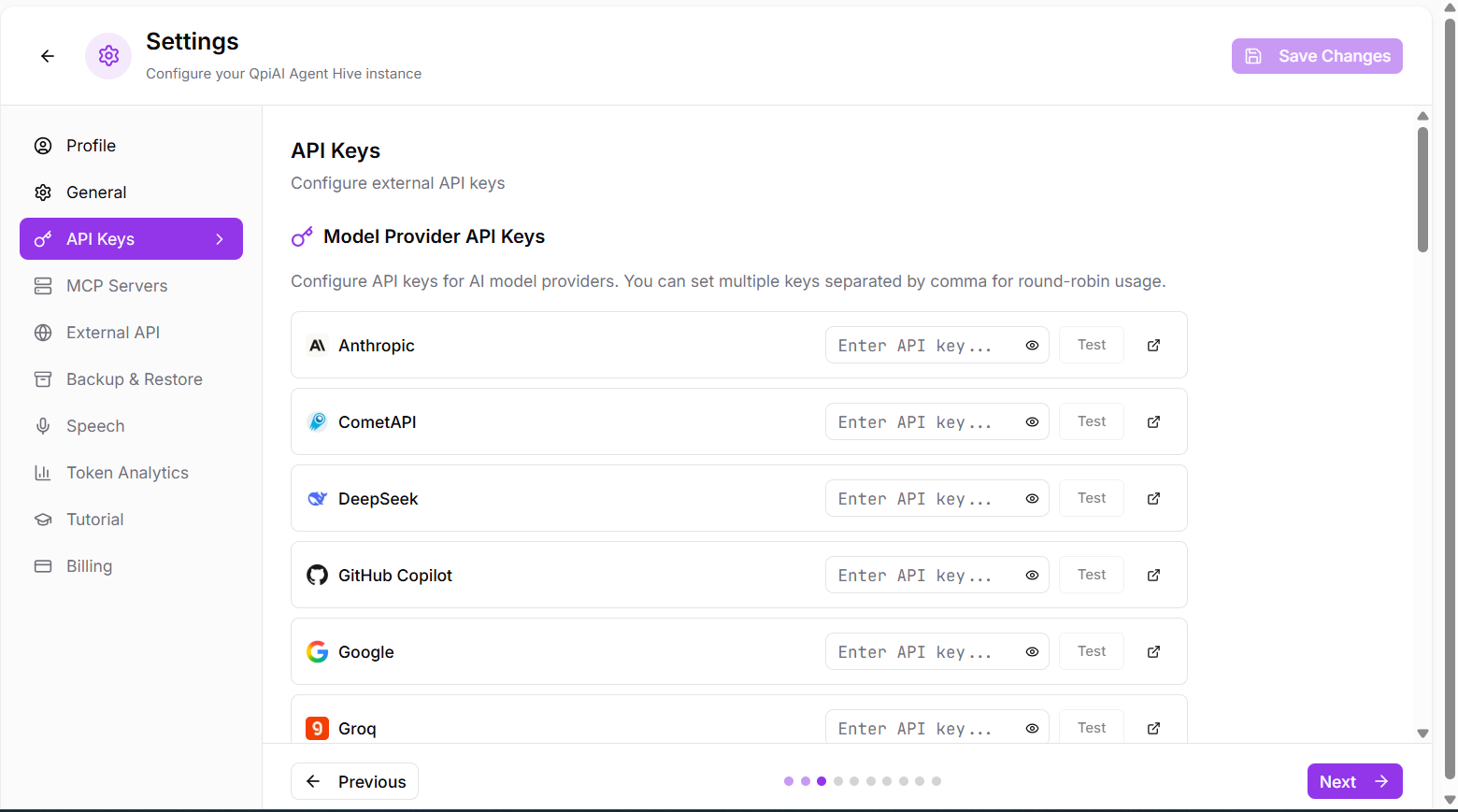
Fig 10.3 Api key model providers
AI Provider Integration
- Multiple Provider Support
Configure API keys for multiple AI providers to enable flexible model selection and usage. - get the key
Each provider includes a “get key” link to obtain API credentials from the respective service and click on “save changes”.
LiteLLM Global Settings
Global parameters passed to LiteLLM for all providers (e.g., timeout, stream_timeout).
- Configuration Format:
Enter parameters in KEY=VALUE format on individual lines.
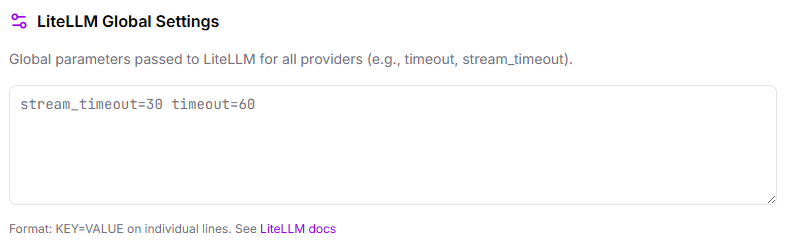
Fig 10.4
Composio Tools
Integrate OAuth-authenticated tools (GitHub, Slack, Gmail, etc.) via Composio.
Setup:
- Obtain Composio API key using the “get key” link
- Enable Composio integration for OAuth-authenticated tools
- Access integrated tools directly from your agents
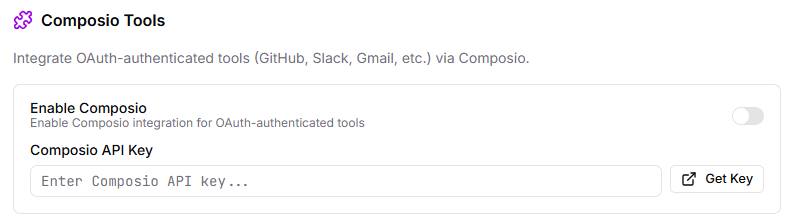
Fig 10.5
-
Skills Marketplace
Browse and install agent skills from the community marketplace. -
Enable Marketplace Access:
Toggle the option to allow browsing and installing skills from the marketplace, giving your agents access to community-contributed capabilities. -
Secrets Management
Manage secrets and credentials that agents can use without exposing values to LLMs. -
Non-Sensitive Variables
Enter variables in .env format. These are visible to LLMs and can be used for configuration settings that don’t require protection.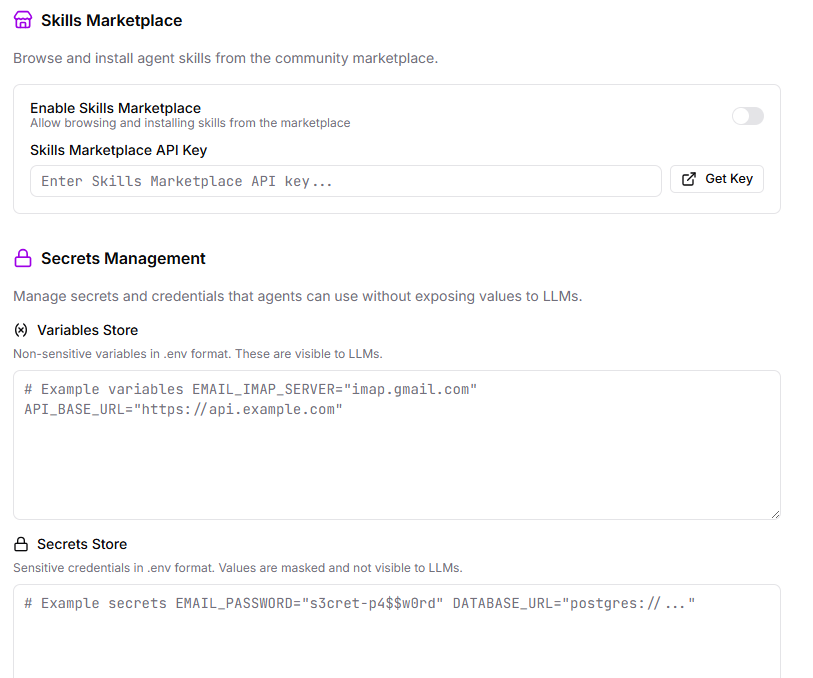
Fig 10.6
Security Benefits
Ensures agents can function without directly exposing passwords or tokens, maintaining security while enabling full functionality.